Step-by step guide to the shoulder cable machine exercise
Maximize effectiveness: Tips for patients and practitioners
1. Step-by-step video on how to do the shoulder cable machine exercise
How to perform the Shoulder Cable Machine
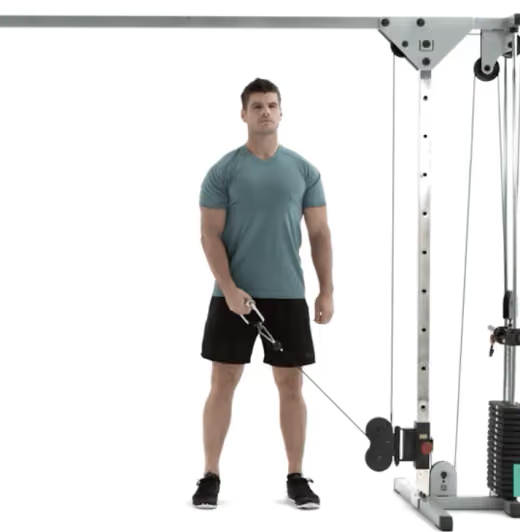
Step 1
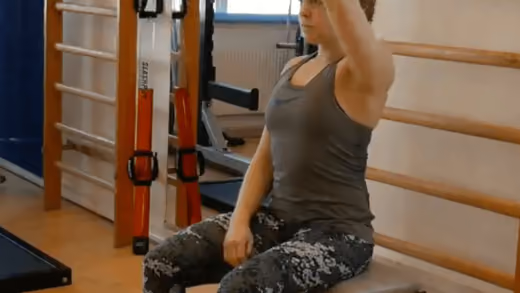
Stand side on to the machine, with your outer hand grasping the handle.
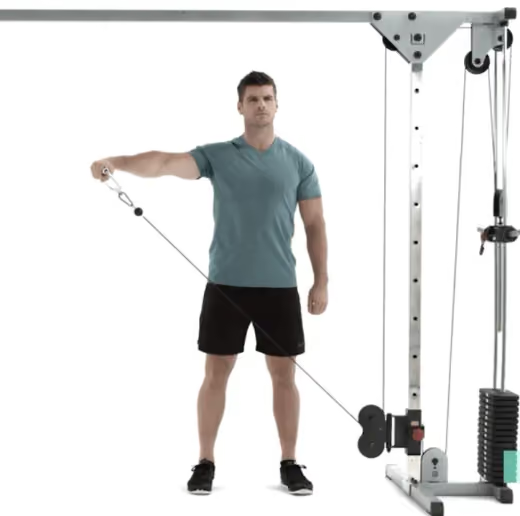
Step 2
Keeping a good posture raise your arm out sideways to shoulder level until your arms are at 90 degrees. Slowly lower the weight back to the starting position.
3. About the shoulder cable machine exercise
- Improves shoulder posture
- Helps protect the shoulder joint
- Increases mobility and range of motion
4. Benefits of the shoulder cable machine exercise
Here are some potential benefits of performing this exercise:
- Improved shoulder strength and stability
- Reduces risk of shoulder injuries
- Improved posture
- Enhanced coordination between shoulder muscles
5. FAQ on the shoulder cable machine exercise
What muscles does the shoulder cable machine target?
The shoulder cable machine targets the deltoids, trapezius, and rotator cuff muscles.
How often should I use the shoulder cable machine?
It is recommended to use the shoulder cable machine two to three times per week. Make sure to give your body adequate rest between workouts to allow for proper muscle recovery.
What is the best weight to use for the shoulder cable machine?
The best weight to use for the shoulder cable machine will depend on your individual fitness level and goals. It is best to start with a light weight and gradually increase the weight as you become more comfortable with the exercise. It is important to use a weight that is challenging but not too heavy to prevent injury.
How do I adjust the shoulder cable machine for different exercises?
To adjust the shoulder cable machine for different exercises, you will need to adjust the height of the pulley and the weight of the cable. To adjust the pulley height, you can either use the lever or knob on the side of the machine, or you can manually adjust the height of the pulley by lifting or lowering it. To adjust the weight of the cable, you can use the weight selector on the side of the machine.