
PhysiApp x
Motion Capture
A new motion-capture experience inside PhysiApp turns a patient's webcam into a hands-free coach: counting reps, timing holds, and giving real-time form prompts, while sending you objective session data after every workout.
Four capabilities. One seamless session.
The motion-capture feature does four things during every prescribed exercise and ships objective data back to you.
Auto rep counting
Timed holds
Voice & live cues
Objectives report
One feature. Two experiences.
Both clinicians and patients can benefit from Motion Capture.

Stop relying on self-reported reps.
- Session-level adherence, automatically.
- ROM trends across sessions, not just per visit.
- See which exercises triggered form warnings.
- No new workflow: data lands in the dashboard you already use.
No buttons. No counting. Just move.
- Set up the camera, follow the on-screen guide.
- Hear short cues even when facing sideways.
- Mute voice in settings whenever you like.
- Manual entry still available if you'd rather not use the camera.

From camera frame to clinician report
Camera sees the movement
An open-source AI model tracks ~33 joint points from the webcam feed and converts them into joint angles - a stick-figure skeleton, not images.

The app counts and coaches
A simple rule per exercise: "rep starts <90°, completes >160°" counts every transition. If form deviates from target, a pre-recorded voice cue plays ("Keep your back straight"), one prompt at a time, with cooldown.

The clinician gets the data
After the session, only structured numbers: reps, holds, form warnings, ROM achieved vs. target are sent to Physitrack's backend and made visible to the prescribing clinician.
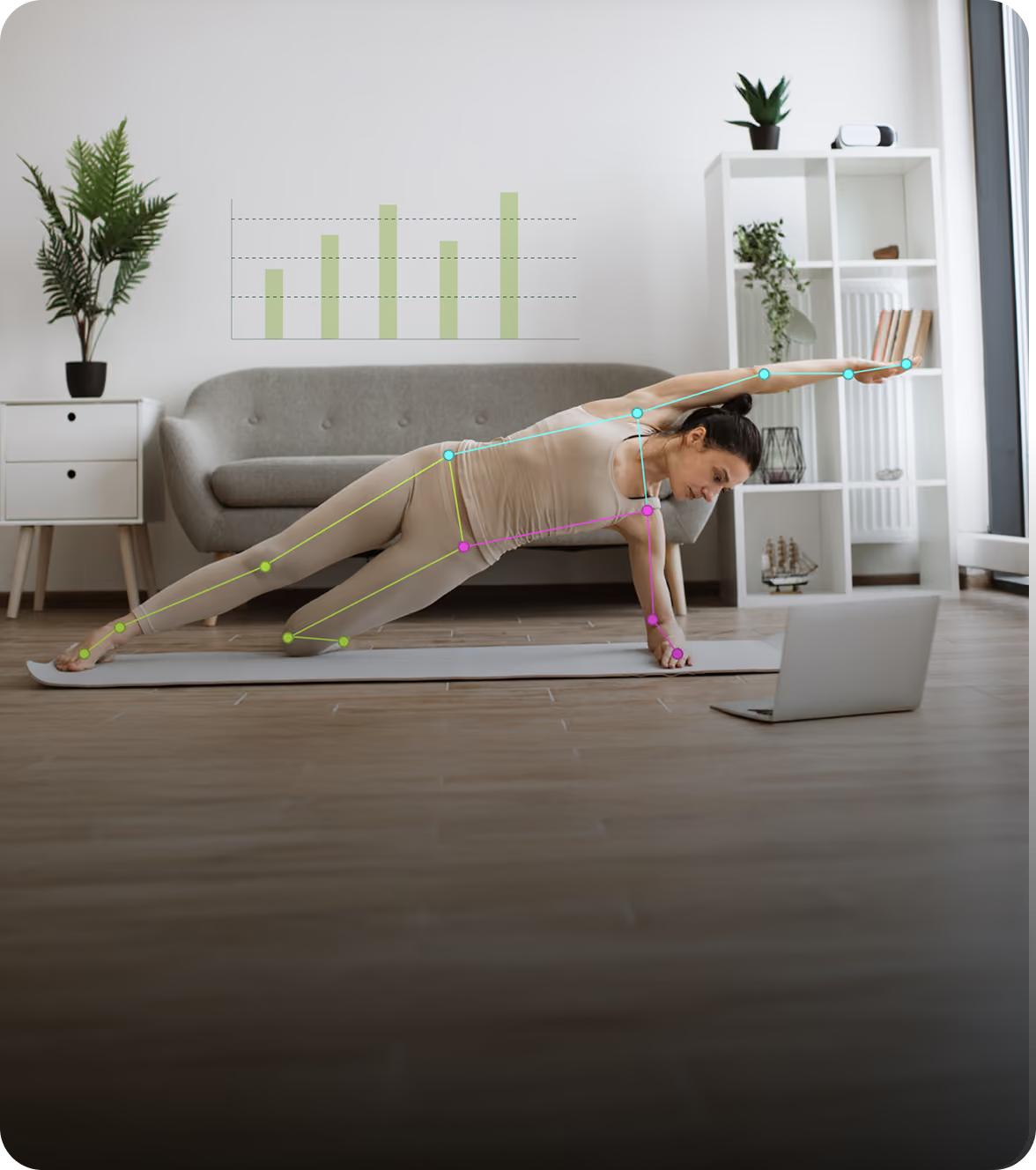
No video is recorded or stored.
Pose estimation runs locally in the patient's browser. The camera feed is processed frame-by-frame in real time and immediately discarded. No video is recorded, stored or transmitted.
No video recorded
Frames are analysed in memory and discarded immediately. Nothing is saved.
Runs client-side
All pose estimation happens in the patient's browser (web v1) or on-device (mobile v2), no images leave the client.
Numbers only, off-device
Only structured numeric data (reps, holds, warning codes, joint-angle summaries) is sent to Physitrack's backend.
What the software is. And what it isn’t.
Important for regulatory and clinical clarity. The software is a measurement and reporting tool, not a decision-making tool.
Web first. Mobile next.
The same core logic - exercise rules, rep counting, feedback - works identically across platforms. Only the camera-access layer differs.
PhysiApp Web (browser)
Standard browser camera API (WebRTC). The patient grants camera permission via the browser prompt. Processing runs via WebAssembly, no plugins or installs needed.
500 Most-prescribed exercises at launch
Not supported: custom exercises
PhysiApp Mobile (iOS / Android)
Native camera API, with the same processing logic packaged as a native library. Identical exercise rules, identical session reports.
On-deviceprocessing
Same dashboardon the clinician side
Common Questions
Is video recorded?
No. Camera feed is processed frame-by-frame in real time and immediately discarded.
Is video transmitted to any server?
No. All pose estimation runs client-side (in the patient's browser for v1, on-device for mobile v2).
What data leaves the client?
Only structured numeric data: rep counts, hold durations, feedback event codes, joint angle summaries. No images, video, or raw coordinates.
Does the patient consent?
Yes, the patient must grant camera permission in the browser and can opt out at any time. Exercise tracking falls back to manual input.
Is facial recognition used?
No. The model detects body joint positions only. It does not identify, recognise, or store faces.
Does the voice feedback use AI in real time?
No. ~20 short audio phrases are pre-generated offline using ElevenLabs TTS and shipped as static files (~50 KB). No AI voice synthesis, speech recognition, or audio processing occurs during a session. The app simply plays the matching audio clip when a feedback rule triggers.

